5 Dev-Ops for Data Scientists
Post-Production
5.1 Authentication
Host-based access control e.g. “do we recognize this user, and do they have enough information to prove who they are”
- Example: Logging in
5.4 HTTP vs. HTTPS
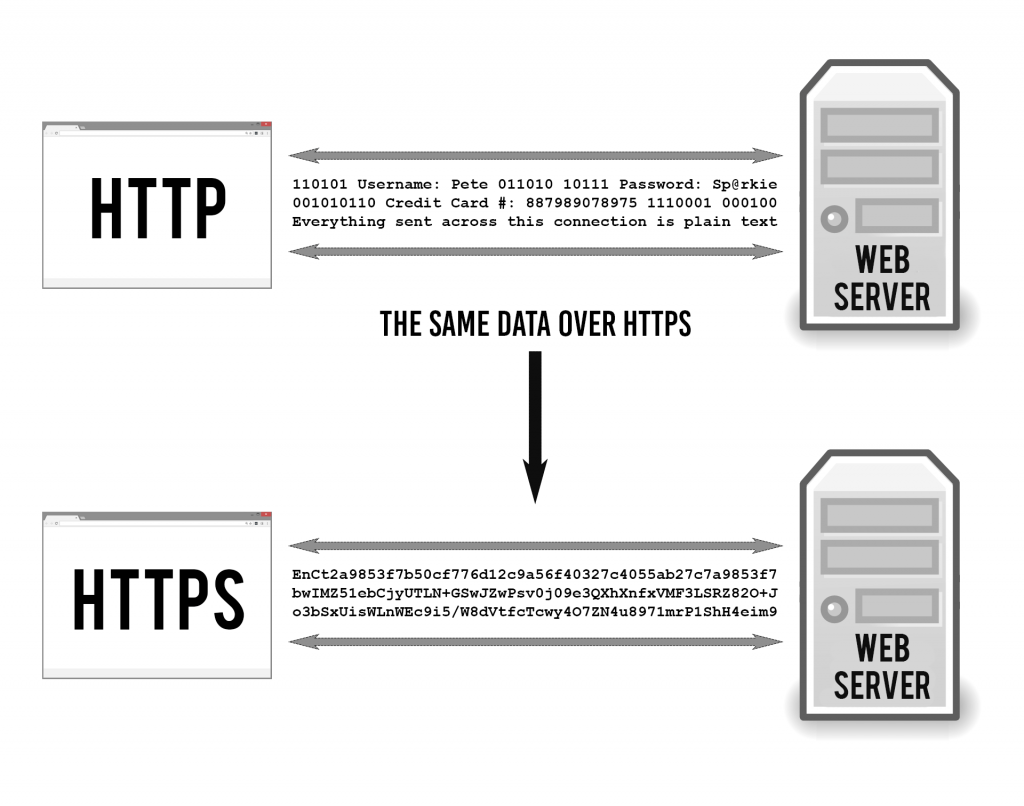
Add diagram - http and https two computers with ports
There are lots of diff transfer protocols; what you use depends on what kind data is being transferred and your security requirements. So for example, maybe you’re sending plain text or email or a webpage.
Protocols as well as processes or application run on specific ports. A port is a virtual point where network connections start and end. Allow computers to easily differentiate between different kinds of traffic. So for example, Shiny Server runs on port 3838, Workbench runs on 8787
whether its email, text, files, etc Ports are software-based and managed by a computer’s operating system. Ports emails go to a different port than webpages, for instance, even though both reach a computer over the same Internet connection.
5.5 Authentication
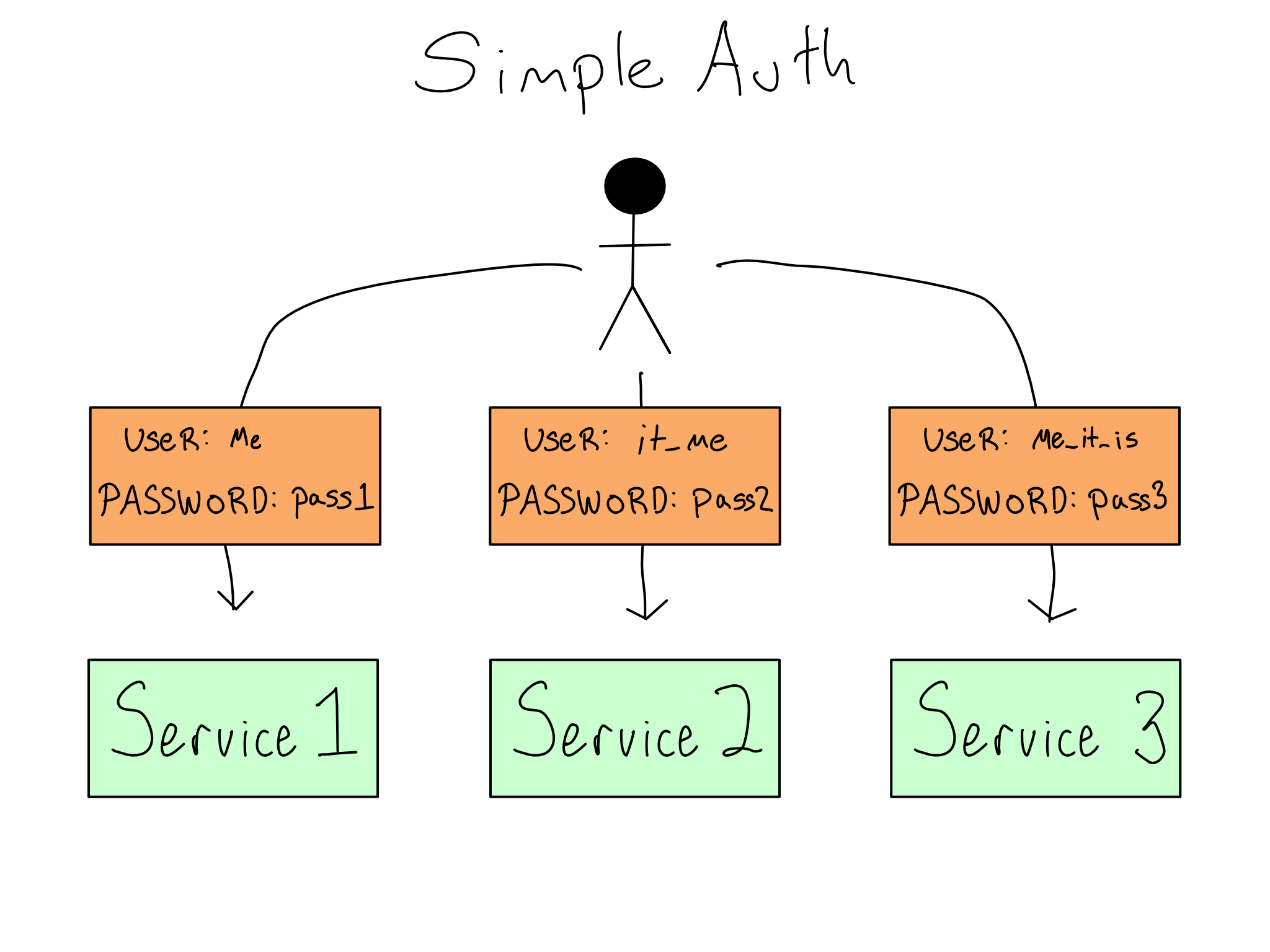
5.6 Simple Auth
5.7 LDAP/AD
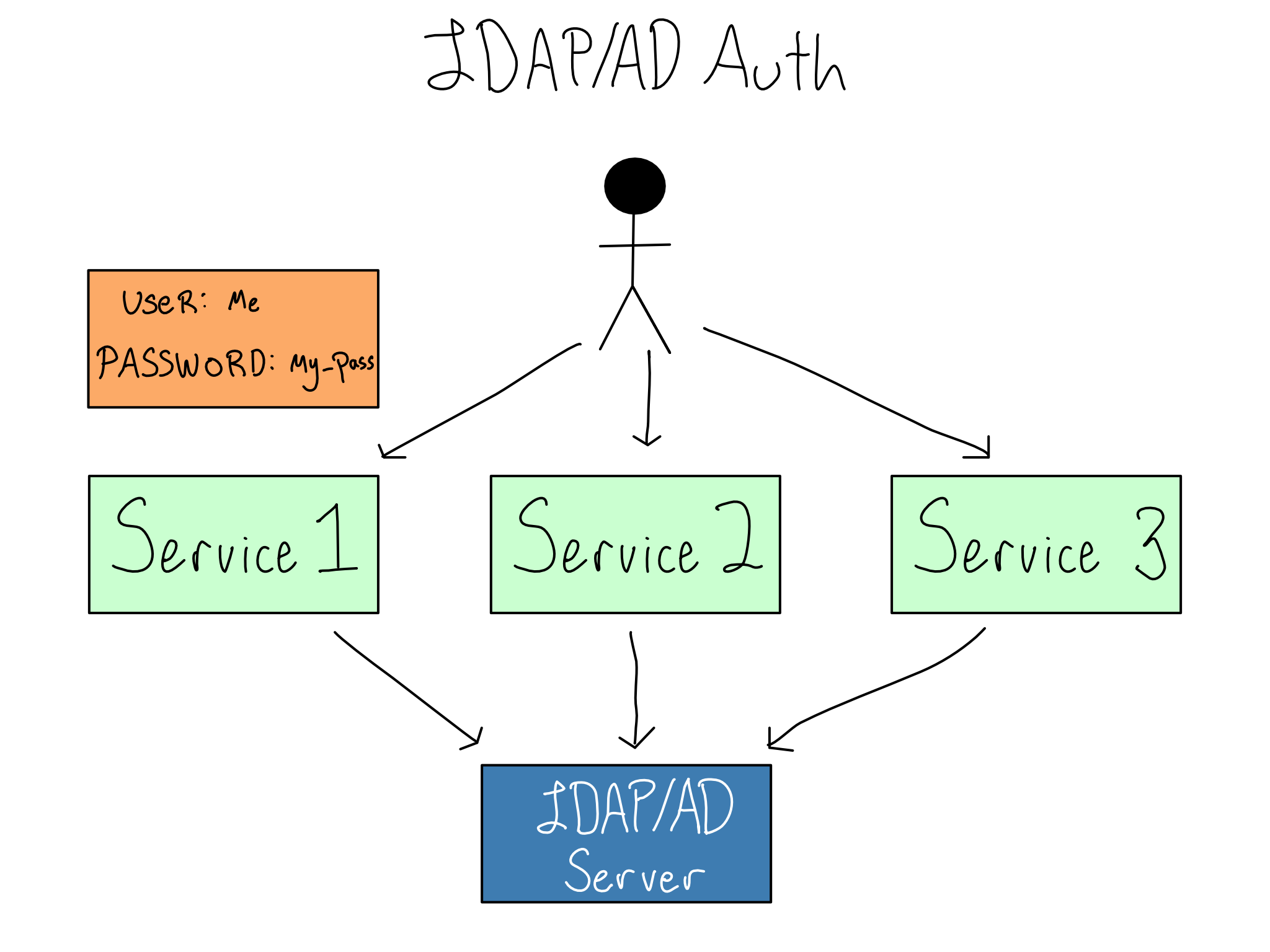
LDAP allows services to collect usernames and passwords and send them to a central LDAP database for verification. The LDAP server sends back information on the user, often including their username and groups, which the service can use to authorize the user. Microsoft implemented LDAP as a piece of software called Active Directory (AD) that became so synonymous with LDAP that the technology is often called LDAP/AD.
5.8 Single Sign-on
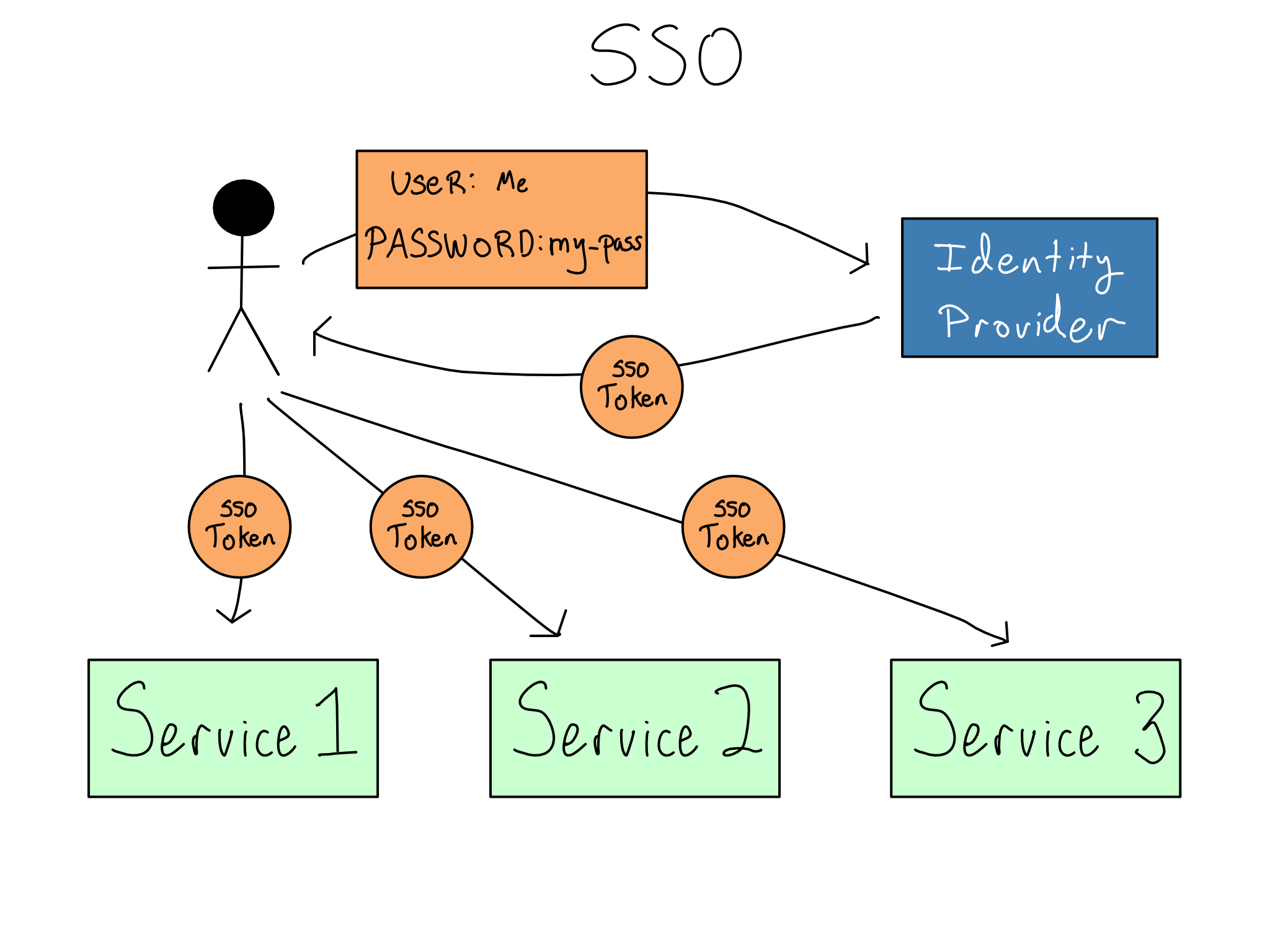
Single Sign On (SSO) is when you log in once to a standalone identity provider at the start of your workday. The identity provider gives you a secure SSO token that is responsible for granting access to various services you might use
It’s worth being clear – SSO is not a technology. It is a user and admin experience that is accomplished through technologies like SAML (Security Assertion Markup Language) or OIDC/OAuth (Open Identity Connect/OAuth2.0). Most organizations implement SSO through integration with a standalone identity provider like Okta, OneLogin, Ping, or Microsoft Entra ID.
5.9 Combining Auth & Auth
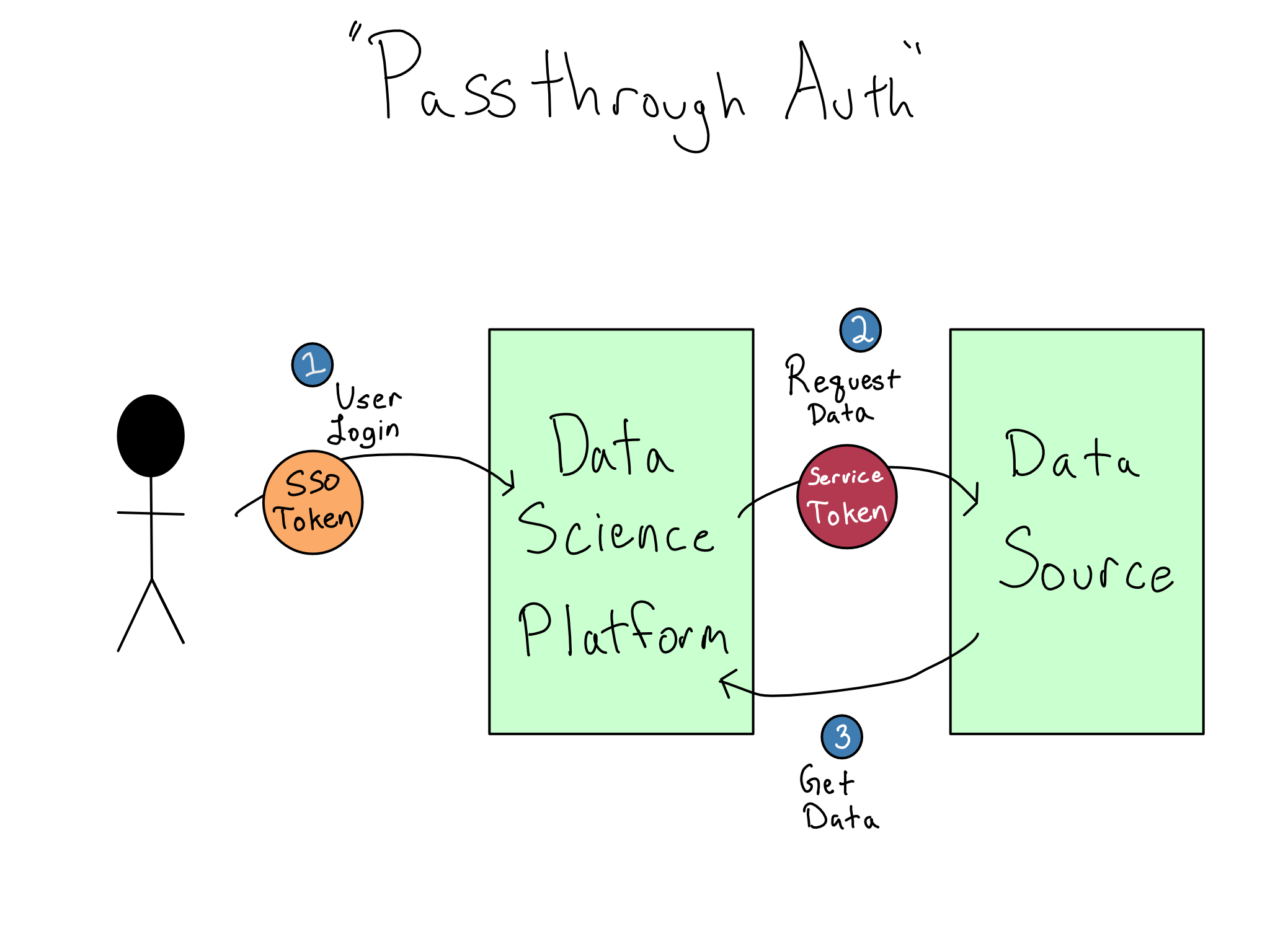
It used to be the case that most data sources had simple username and password auth, so you could authenticate by just passing those credentials along to the data source, preferably via environment variables. This is still the easiest way to connect to data sources.
Organizations are increasingly turning to modern technologies, like OAuth and IAM, to secure access to data sources, including databases, APIs, and cloud services. Sometimes, you’ll have to manually navigate the token exchange process in your Python or R code. For example, you’ve likely acquired and dispatched an OAuth token to access a Google Sheet or a modern data API.
Increasingly, IT/Admins want users to have the experience of logging in and automatically accessing data sources. This situation is sometimes termed passthrough auth or identity federation. This is a great user experience and is highly secure because there are never any credentials in the data science environment, only secure cryptographic tokens.
However, this experience is more complicated than it appears. From what we’ve discussed so far, it seems like you could use the SSO token that got you into the data science environment to access the data source. But it doesn’t work like that. Instead, accessing each service requires its own token that can’t be used for a different service for security reasons. So, “passthrough” is a misnomer, and a much more complicated token exchange is required.
5.10 Security
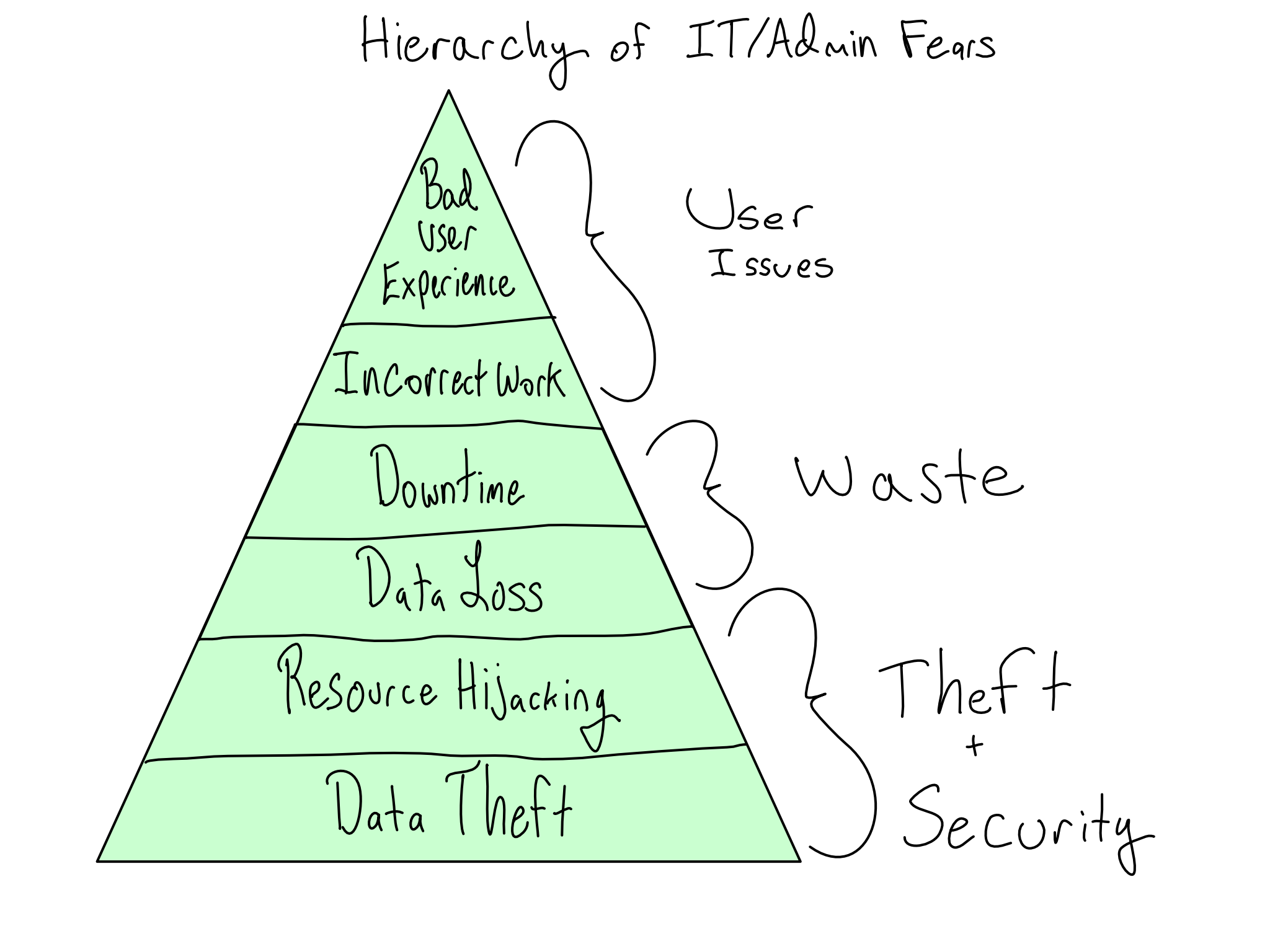
The primary concerns of IT/Admins are security and stability. A secure and stable system gives valid users access to the systems they need to get work done and withholds access from people who shouldn’t have it. If you understand and communicate with IT/Admins about the risks they perceive, you can generate buy-in by taking their concerns seriously.
The worst outcome for a supposedly secure data science platform would be an unauthorized person gaining access and stealing data. In the most extreme form, this is someone entirely outside the organization (outsider threat). But it also could be someone inside the organization who is disgruntled or seeking personal gain (insider threat). And even if data isn’t stolen, it’s bad if someone hijacks your computational resources for nefarious ends like crypto-mining or virtual DDOS attacks on Turkish banks.
Somewhat less concerning, but still the stuff of IT/Admin nightmares is platform instability that results in the erasure of important data, called data loss. And even if data isn’t permanently lost, instability that results in lost time for platform users is also bad.
IT/Admins may have some stake in ensuring that the environment doesn’t include error-ridden software that results in incorrect work. And last, way down the list, is that users don’t have a bad experience using the environment.
5.11 Security Best Practices [for the DS]
- code analysis or scanning packages
managing permissions
security and code reviews
keeping data separate from the application
data security
Model monitoring and testing
Automated alerts
Scanning packages and OSV’s
Network security
5.12 Thank you so much!

5.13 Please complete this survey!
https://pos.it/conf-workshop-survey